Photo equation OCR guide
How I Scan an Equation From a Photo Without Trusting OCR Blindly
By Evan LiUpdated
The mistake I wanted to avoid with photo input was treating OCR like a math solver. It is not. OCR is a transcription tool: it looks at pixels and guesses characters. My workflow is therefore photo → recognized text → human review → solver. That extra review step is what keeps an OCR typo from quietly turning into a mathematically correct answer to the wrong equation.
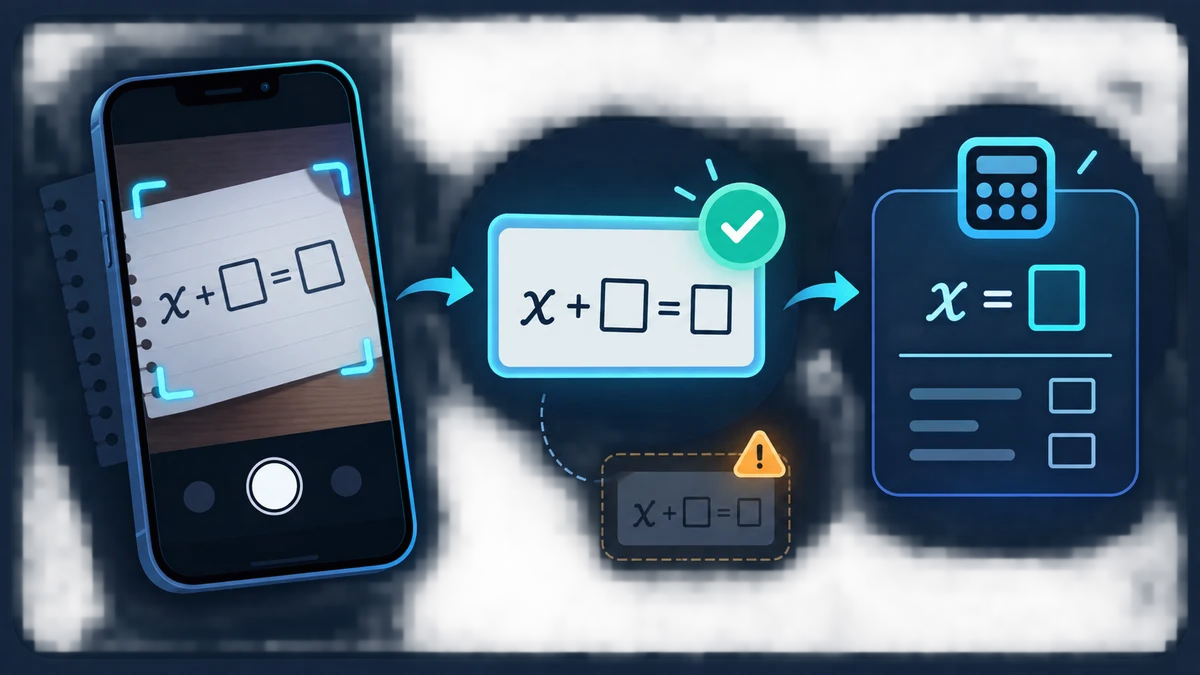
I take the photo for readability, not for aesthetics
A clean equation photo beats a beautiful page photo. I try to crop tightly around one equation, keep the camera parallel to the paper, avoid shadows, and make the writing large enough that x, ×, 1, l, 0, and O do not blur into one another. Printed equations are usually easier than handwriting, but clear handwriting can still work.
If the page contains several exercises, I do not expect the OCR to know which one I care about. The current tool scores recognized lines for features such as x and an equals sign, but that is only a heuristic. A tight crop gives it much less room to choose the wrong line.
I expect certain math symbols to be misread
Superscripts, fraction bars, radical signs, minus signs, and multiplication symbols are common failure points. x² may become x2, a long minus may become a dash, and a fraction can be flattened into separate lines. Handwritten absolute-value bars can look like the digit 1. Those mistakes are normal OCR limitations, not algebra mistakes.
After recognition, I compare the text with the image character by character around the risky symbols. If I photographed x² - 5x + 6 = 0 but the input says x2 - 5x + 6 = 0, I correct the exponent before solving.
The OCR result goes into the normal equation box on purpose
I do not hide the transcription behind an automatic Solve action. The recognized line is copied into the same input field used for typed or LaTeX equations. That means I can edit it, see the MathML preview when the parser understands it, and decide whether the expression is actually the one I intended.
Only after that review do I press Solve. From that point onward, the OCR path and the typed-input path are identical: the same normalization, parser, solver, steps, verification, and graph are used.
I keep the privacy boundary explicit
Equation solving itself does not require a third-party math-solving API. The optional OCR feature loads its Tesseract.js assets from this site only when I activate it. Recognition and the image stay in the browser; no image is sent to a third-party OCR provider.
That is why I do not describe the whole photo workflow as completely offline. I also avoid putting personal identifiers or sensitive information into calculator inputs. If I create a shareable ?q= URL after solving, the equation becomes part of that URL and can appear in browser history or normal technical logs.
When OCR struggles, I switch to the fastest reliable fallback
I do not keep retrying a bad image indefinitely. If the equation is short, typing it is faster. If the source already contains LaTeX, pasting the LaTeX is usually more accurate. If the handwriting is ambiguous, I transcribe it manually and use the preview as my check.
The goal is not to prove that OCR can read every worksheet. The goal is to remove tedious retyping when the image is clear, while keeping the final equation under my control before any mathematics happens.